Reminders stays the source
Edit, reschedule, complete or delete in Reminders. The calendar copy follows on the next sync.
 JoinVia
Keep Apple Reminders. See your tasks beside your meetings in Google Calendar or Outlook, and everywhere that calendar goes.
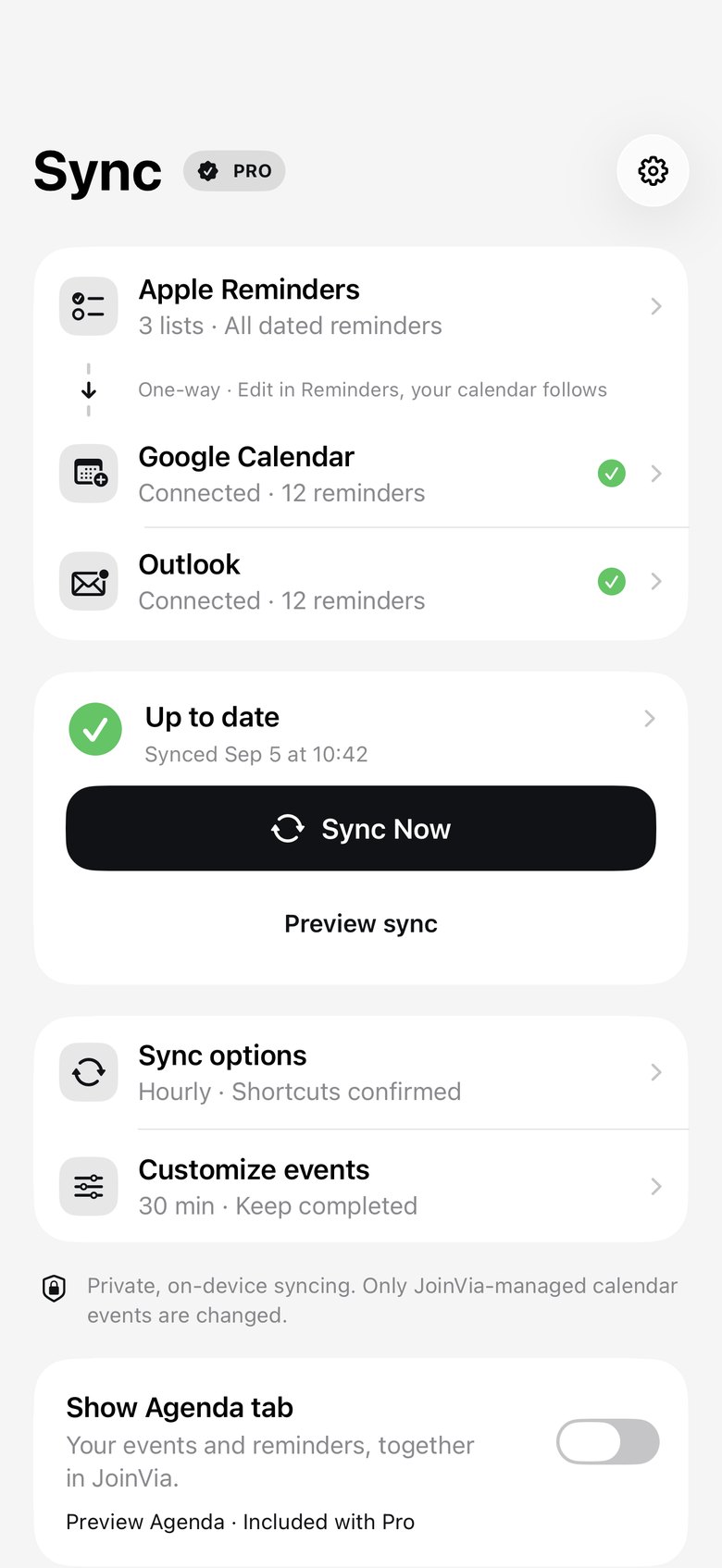
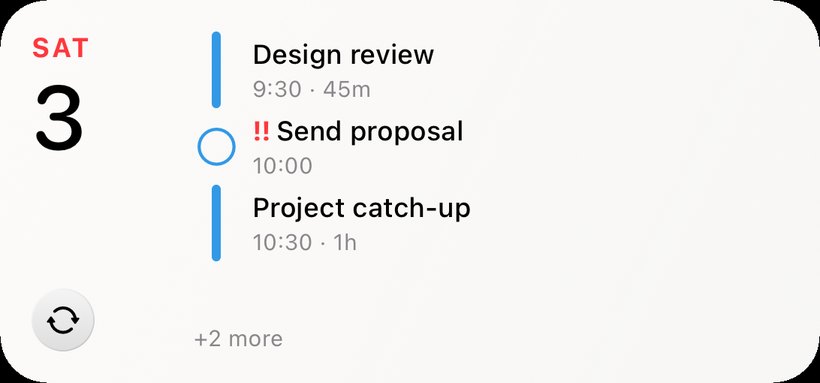
Your reminders, everywhere your calendar goes
Once your reminders are in Google Calendar or Outlook, they show up wherever that calendar does.
How it works
Google Calendar or Outlook. JoinVia uses its own separate calendar and never touches your others.
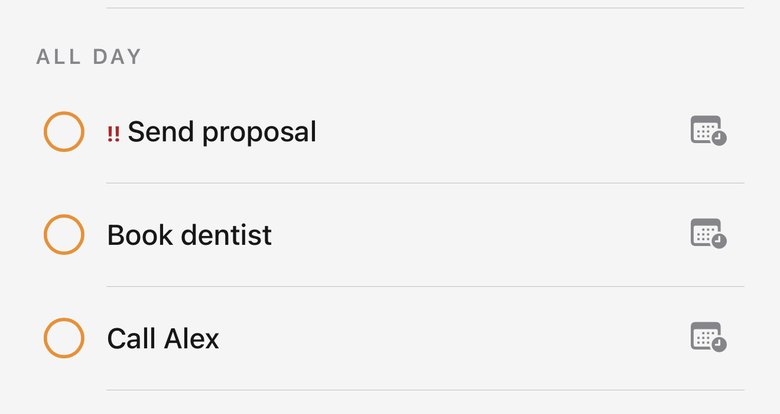
Choose which Reminder lists to show. Dated reminders become all-day or timed events.
Add, edit and complete in Reminders, Siri or shared lists. Your calendar follows.
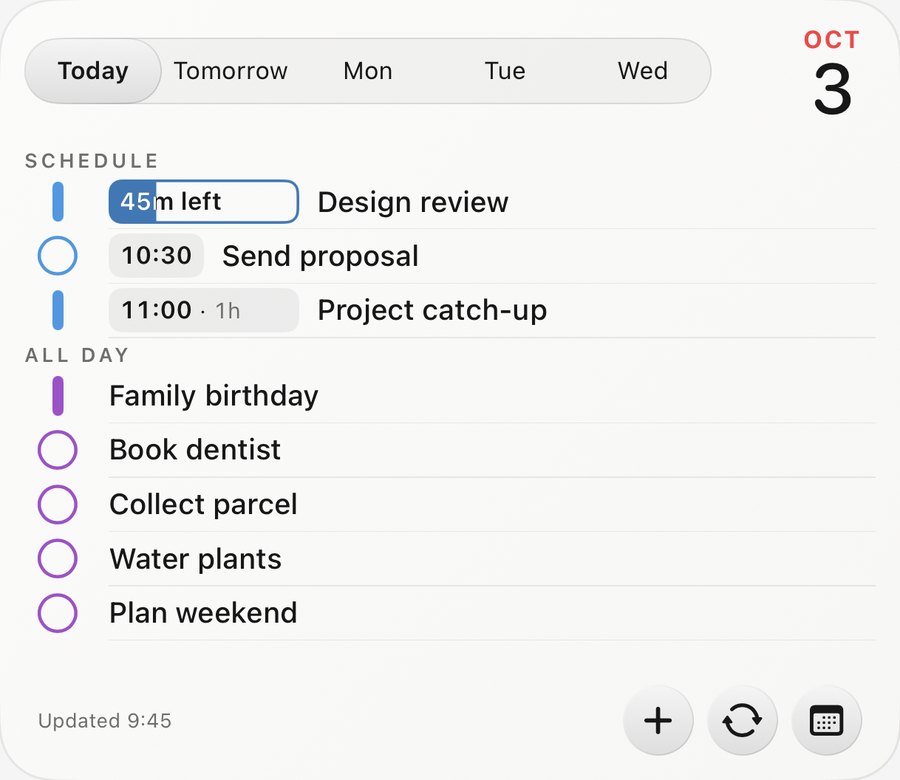
Widgets · Pro
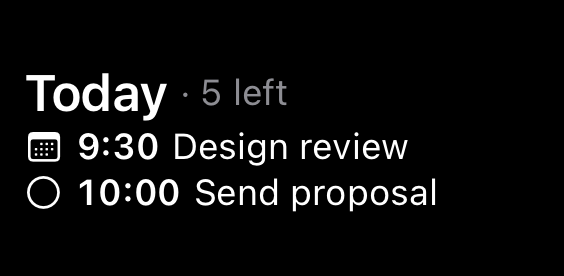
Meetings and reminders together on your Home Screen, in their original colours. Tick tasks off right there.
New · Plan my day · Pro
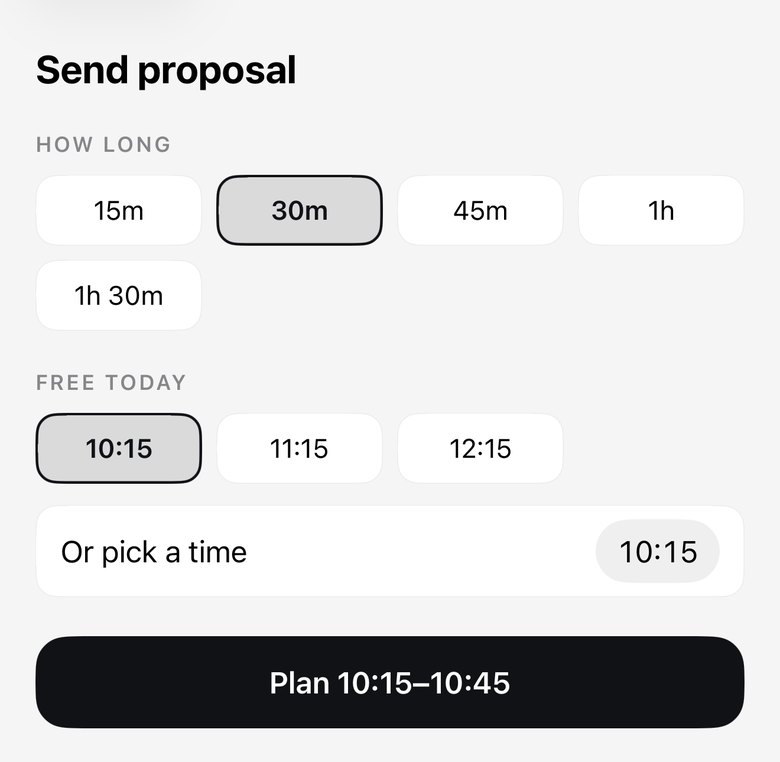
Tap a reminder, pick how long it takes, and JoinVia suggests free times between your meetings. The time goes into Apple Reminders, so you get its alert too.
New · More accounts · Pro
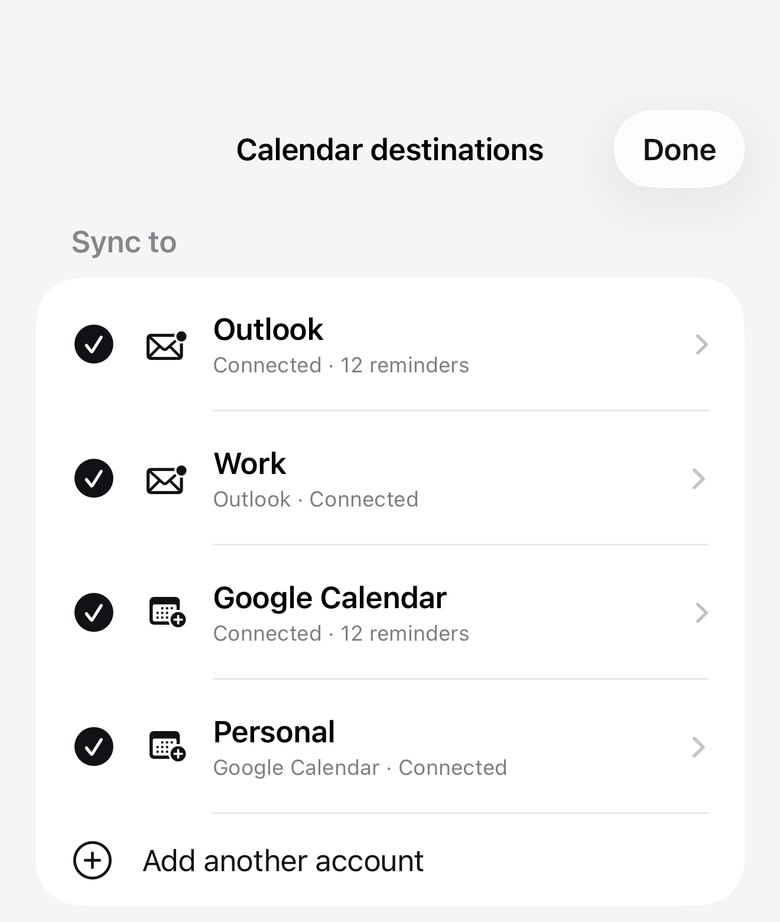
Connect up to three Google and three Outlook accounts. Each gets its own JoinVia calendar and the Reminder lists you choose.
Built to be trusted
Edit, reschedule, complete or delete in Reminders. The calendar copy follows on the next sync.
Only events in the separate JoinVia calendar are changed. Your meetings are never touched.
Set duration, availability, alerts and markers for everything or for each list.
No JoinVia account, server, ads or analytics. Notes and links stay off unless you turn them on.
Pricing
Pro adds more calendars, the widgets and Plan my day.
Free
Pro
or €29.99 once for Lifetime
Eligible new subscribers can try Annual free for one month.
Apple shows the final price for your country before you buy.
Questions
No. Apple Reminders stays the source of truth. JoinVia copies dated reminders into a separate JoinVia calendar and keeps it up to date. It only changes a reminder when you ask it to, like completing one or planning a time.
It is one-way on purpose: edit in Reminders and your calendar follows. Two-way task sync is where duplicates and conflicting edits come from.
JoinVia syncs when you open the app, when you tap Sync Now, through optional Shortcut automations, and in the background when iOS allows. It is not a real-time cloud service, so when timing matters, open JoinVia.
No. JoinVia creates calendar events in Google Calendar or Outlook, so your reminders sit next to your meetings.
No. You sign in directly with Google or Microsoft. Reminders go from your iPhone straight to your calendar, with no JoinVia server, analytics or tracking in between.